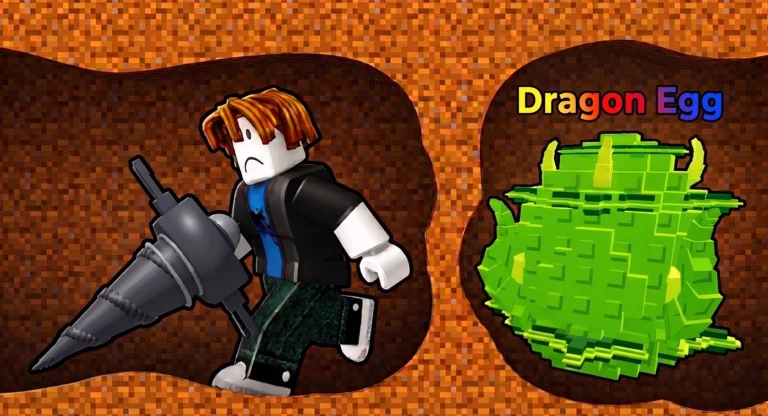
- Drill for Eggs controls split into movement, drilling, and egg-carrying actions across PC, mobile, and controller.
- Movement basics matter most: smooth steering underground prevents wasted digging time.
- Guard escapes depend on route discipline, not reaction speed — plan exits before grabbing an egg.
- Mobile players should enable jump buttons and use auto-run where available for long return trips.
- Practice early areas before deep runs so controls feel natural under pressure.
Drill for Eggs Controls Overview
Drill for Eggs is a Roblox digging simulator built around a simple loop: train Power, drill downward, grab an egg, dodge Animal Guards, and deliver it back to your Farm. Because the game runs on Roblox, it inherits standard Roblox input handling on every platform — WASD and mouse on PC, a virtual joystick and buttons on mobile, and a standard gamepad mapping on console or PC controller. The core loop described here matches the official Drill for Eggs game page.
The controls themselves are simple; what separates good runs from failed ones is how you use them. Most losses happen on the return trip while carrying an egg, not while digging. Mastering a few input habits early makes every later expedition safer.
Before your first deep run, spend five minutes in an early underground area practicing quick direction reversals. Being able to turn and climb back up smoothly is the single most valuable control skill in the game.
Default Input Mappings by Platform
The table below summarizes the default control scheme for each platform. Roblox generally maps these automatically, but always confirm your current bindings in the Roblox settings menu in case an update changes them.
| Action | PC | Mobile | Controller |
|---|---|---|---|
| Move | WASD | Left virtual joystick | Left stick |
| Camera | Right-click drag | Touch-drag screen | Right stick |
| Jump | Spacebar | Jump button | A / Cross |
| Drill / Dig | Left mouse button or auto on contact | Tap drill button | R2 / RT |
| Interact / Collect Egg | E or tap prompt | On-screen prompt button | X / Square |
| Sprint / Boost (if unlocked) | Shift | Toggle button | L3 / Left stick press |
| Inventory / Menu | Backpack icon or key | Top-screen icons | Menu button |
Roblox experiences can adjust default bindings per game. If a control above does not respond, open the in-game settings or Roblox menu and check the current keybind list before assuming something is broken.
PC Strengths
- Precise camera control with mouse
- Fast egg pickup via E key
- Easiest platform for tight tunnel turns
Mobile Strengths
- Always-visible drill button
- Simple one-thumb digging
- Best for casual short runs
Controller Strengths
- Comfortable analog movement
- Smooth long return trips
- Good guard-escape handling
Movement Skills for Digging and Climbing
Digging downward is straightforward — hold your drill input and steer into the terrain. The real control skill in Drill for Eggs is climbing back up efficiently while an Animal Guard is chasing you. Vertical movement through your own tunnels takes practice, especially on mobile where jump timing is button-based.
| Situation | Recommended Input Habit | Why It Works |
|---|---|---|
| Descending to eggs | Dig at slight angles, not straight down | Angled tunnels are easier to climb back through |
| Climbing with an egg | Jump-spam up angled walls | Straight shafts waste stamina and time |
| Guard pursuit | Reverse direction once, commit to exit | Repeated direction changes let guards close distance |
| Long return trip | Use open familiar passages | Less digging means less exposure time |
| Tight turns | Small camera adjustments, not full turns | Prevents overshooting into dead ends |
The tunnels you dig on the way down become your escape route on the way up. Digging a spiral or angled path instead of a straight vertical shaft makes the return climb dramatically easier with an egg in hand.
Control Routine for Safe Egg Runs
Use this routine to turn the control mappings into a repeatable, safe egg run from your first session onward.
Scout Before You Dig
Before entering a guarded area, look over the terrain and pick the shortest known path back to safety. Check that your Drill Power matches the route — digging yourself into exposure is a control problem, not a stats problem.
Dig an Escape-Friendly Route
Descend using angled tunnels rather than a straight shaft. Keep your camera oriented toward your exit direction so you never lose track of the way back.
Collect the Egg and Commit
Pick up the egg with your interact input and immediately stop exploring. The egg is now your only objective — do not stop for extra resources on the way out.
Escape Guards With Route Discipline
If an Animal Guard starts chasing, move toward your planned exit without changing direction repeatedly. Use open passages and avoid dead ends or areas requiring fresh digging.
Deliver, Hatch, Repeat
Carry the egg to your Farm, place it for hatching, and repeat the run. Once animals start generating cash — including offline earnings — reinvest in Power and drill upgrades for deeper trips.
Players who follow the same control routine every run lose far fewer eggs than players who improvise. Consistency in movement beats raw speed in Drill for Eggs.
Control Checklist and Platform Optimization
Before attempting deeper areas, confirm each item below. If any check fails, practice in an early underground zone where mistakes cost little.
Controls Mastery Checklist:
- Climb back up an angled tunnel smoothly while carrying an egg
- Reverse direction in one motion when a guard begins pursuit
- Collect an egg within two seconds of reaching it
- Complete a full early-area run without entering a dead end
- Confirm your current keybinds or touch layout in settings
For platform-specific tuning, a few adjustments pay off quickly:
| Platform | Recommended Adjustment | Benefit |
|---|---|---|
| PC | Increase camera sensitivity slightly | Faster threat scanning during escapes |
| Mobile | Enable and enlarge the jump button | Reliable wall climbing |
| Controller | Raise stick deadzone if tunnels feel twitchy | Smoother narrow-passage movement |
| All | Lower graphics quality on weak devices | Fewer input stutters underground |
Controls feel different across PC, mobile, and controller. If you switch platforms, run one easy egg trip first instead of jumping straight into a deep expedition.
FAQ
Q: What are the basic Drill for Eggs controls on PC?
On PC, Drill for Eggs uses standard Roblox inputs: WASD to move, the mouse to control the camera, Spacebar to jump, and your drill input (left mouse button or interaction on contact) to dig. Egg pickup uses the interact key or an on-screen prompt. Always confirm current bindings in the Roblox settings menu.
Q: Can I change the Drill for Eggs controls?
Yes. Because Drill for Eggs runs on Roblox, you can review and adjust keybinds through the Roblox settings menu on PC. On mobile, button layout follows the standard Roblox touch interface. Some in-game bindings set by the developer may not be remappable.
Q: Which platform has the best controls for Drill for Eggs?
There is no single best platform. PC offers the most precise camera control, which helps in tight tunnels. Mobile is convenient for short casual runs. Controller provides comfortable analog movement for long return trips. Pick the platform you play Roblox on most comfortably — control familiarity matters more than the device itself.
Q: Why do I keep losing eggs when guards chase me?
Most losses come from movement habits, not control scheme issues. Reversing direction repeatedly lets Animal Guards close distance, and stopping to collect extra resources while carrying an egg extends your exposure time. Plan your exit before picking up the egg, commit to one route, and use open passages back to safety.